Coding agents in a sandbox, with the plugins they need
Community packages that give a HarnessAgent (Claude Code, Codex, OpenCode…) its sandbox: a Docker Sandbox microVM or a microsandbox microVM on your machine, or a Cloud Run sandbox on Google Cloud, scaled to zero between turns, or your own machine behind Anthropic Sandbox Runtime. The plugins that extend it: tools, skills, rules, slash commands, hooks, subagents and MCP servers, for every runtime. And the sessions that run your users' conversations with it, suspended when idle and resumed where they were.
import { HarnessAgent } from '@ai-sdk/harness/agent';import { createClaudeCode } from '@ai-sdk/harness-claude-code';import { createSbxNetworkSandboxSession } from 'ai-sdk-sandbox-sbx';const agent = new HarnessAgent({ harness: createClaudeCode() });const sandboxSession = await createSbxNetworkSandboxSession({ ports: [4000], setup: ['npm install --global pnpm@10'], template: await agent.getSandboxTemplate(),});const session = await agent.createSession({ sandboxSession });const { text } = await agent.generate({ session, prompt: 'Write fizzbuzz in Rust and run it' });Pick your sandbox
Every package returns the same HarnessV1NetworkSandboxSession: switching from one to the other is a matter of which function creates it.
On your machine
Stableai-sdk-sandbox-sbxA Docker Sandbox microVM, driven through the sbx CLI, on your machine or in Docker Sandboxes Cloud.
- A lightweight VM with its own Docker daemon
- Mount your project, or a private clone of it
- Ports on 127.0.0.1 only
From any image
Previewai-sdk-sandbox-microsandboxA microsandbox microVM booted from any OCI image on your machine, through the microsandbox SDK: no daemon, no account.
- Boots in under a second, restored from a snapshot
- Docker and docker compose, with docker: true
- Credentials swapped in outside the microVM
On Google Cloud
Stableai-sdk-sandbox-cloud-runA Cloud Run sandbox per session, run by a service you deploy in your own Google Cloud project.
- Suspended to Cloud Storage between turns
- No network but an egress proxy and its allowed hosts
- Calls authenticated by Cloud Run IAM
Behind srt
Previewai-sdk-sandbox-runtimeAnthropic Sandbox Runtime on your machine: bubblewrap or sandbox-exec, no container to pull or boot.
- Starts in milliseconds, works on your files where they are
- Your home hidden, only the allowed hosts reachable
- Credentials put in by srt's proxy
Extend the agent with plugins
ai-sdk-harness-plugins bundles what an agent can be given into plugins, written in code, read from a Claude Code plugin directory, or written as JSON, with single items for a marketplace, and applies what an agent picks to whichever runtime it drives.
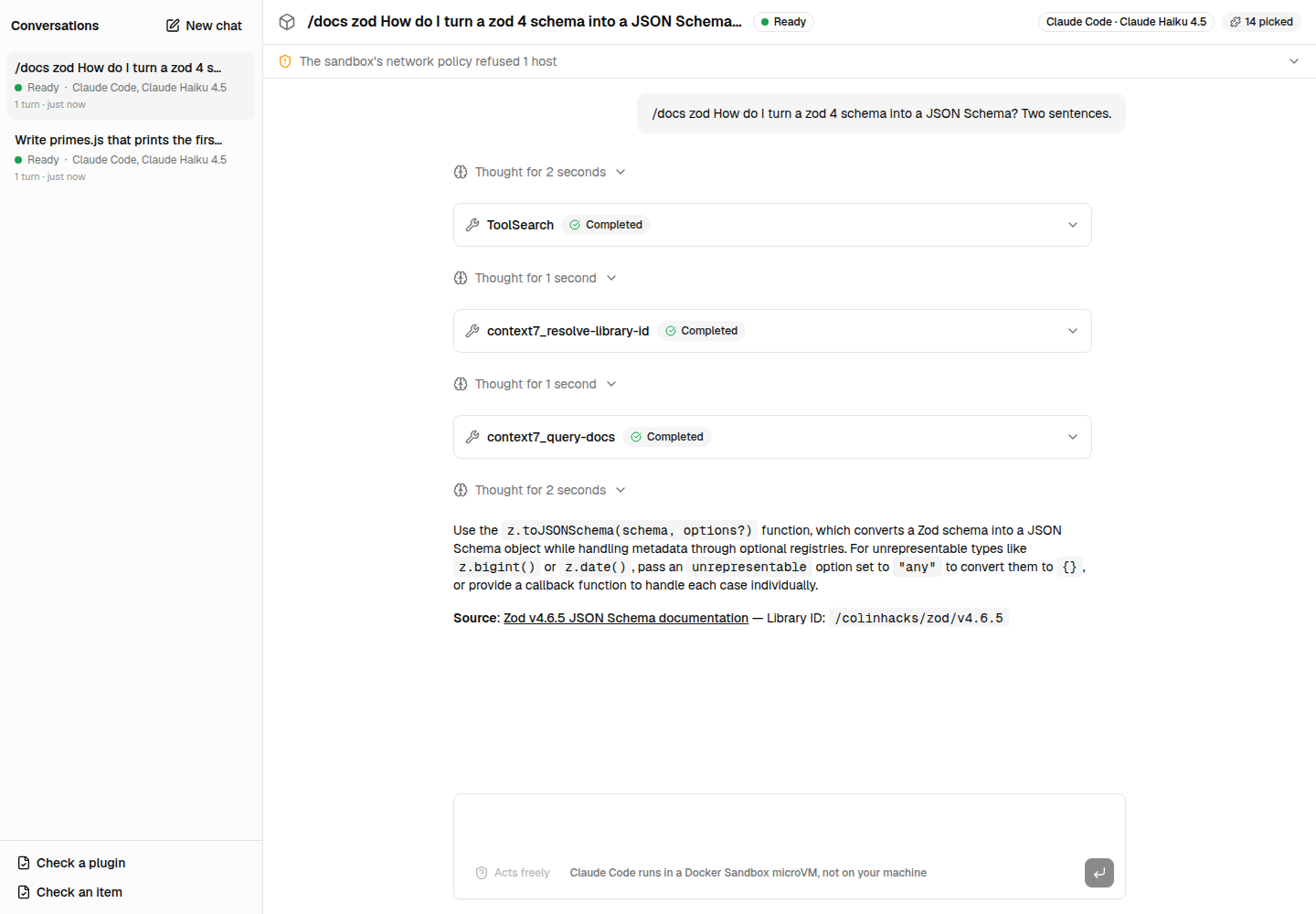
A plugin: a command and its MCP server
/docs zod …: the agent resolves the library and queries its documentation with the Context7 tools, then answers with its source.
What the plugin does: library-docs is one JSON document bringing a /docs command and the MCP server it relies on. Your server connects the MCP server and hands its tools to the agent: the server and its credentials never reach the sandbox.
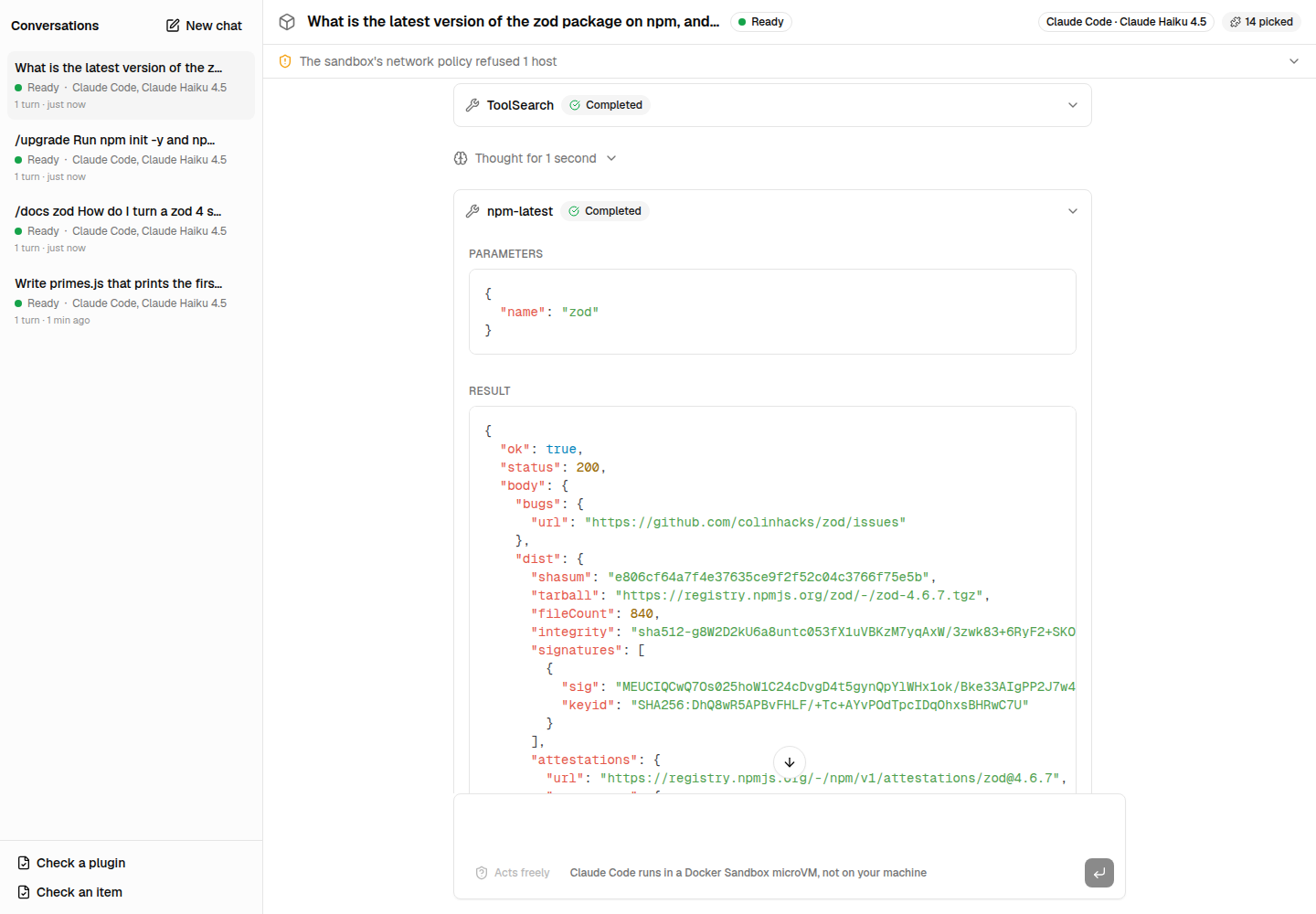
A tool
The agent calls npm-latest with { name: "zod" }, and reads the registry’s answer: its status and the package’s metadata.
What the plugin does: An http tool in JSON: your server makes the request, {name} of its URL taking the input its JSON Schema declares. A token would be a secret reference in its headers.
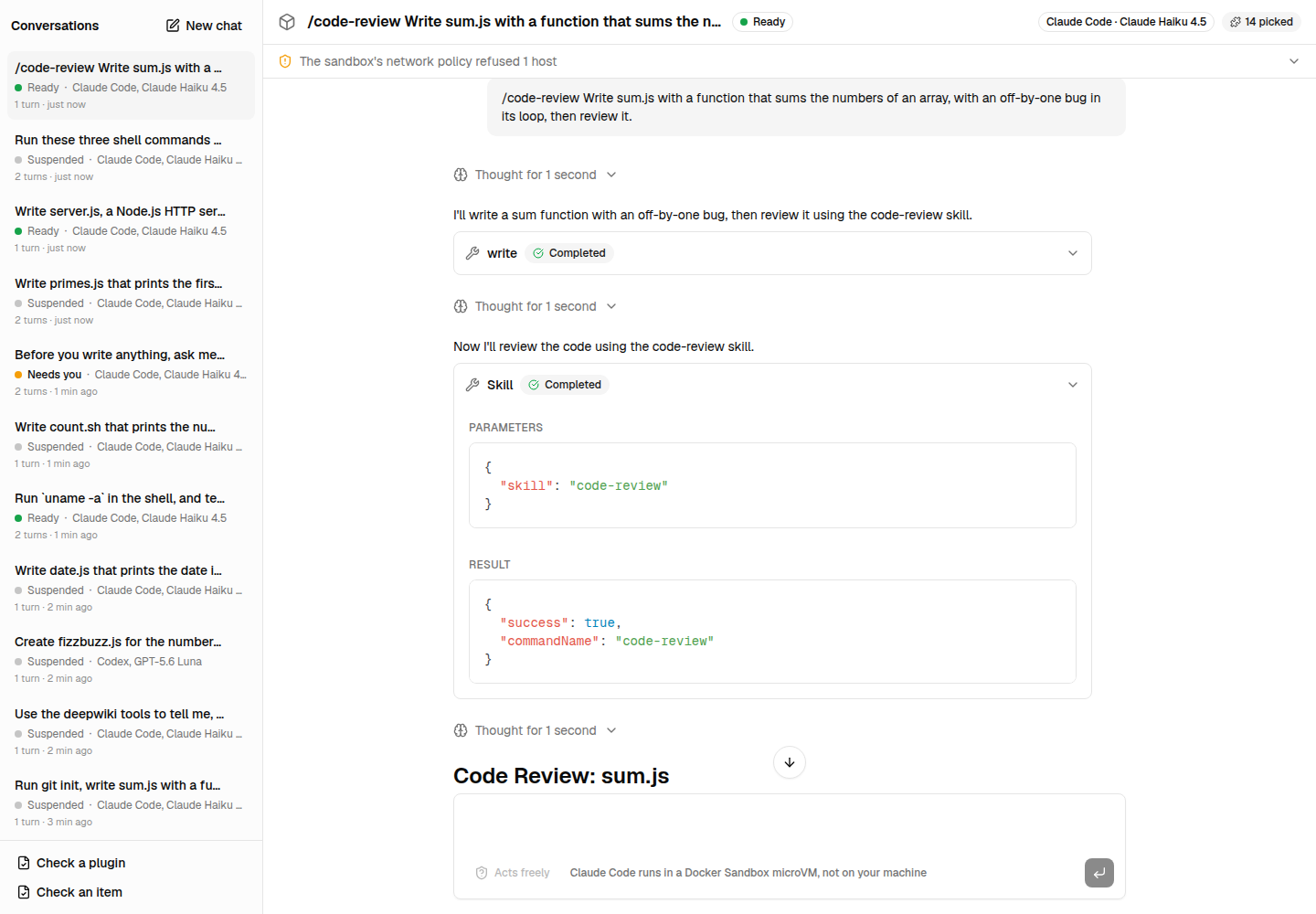
A skill
/code-review …: the agent writes a function with a bug, loads the skill, and reviews it the way the skill says.
What the plugin does: The skill is JSON, written where the runtime reads its skills. /<skill> asks the agent to use it; otherwise the agent loads it when its description fits.
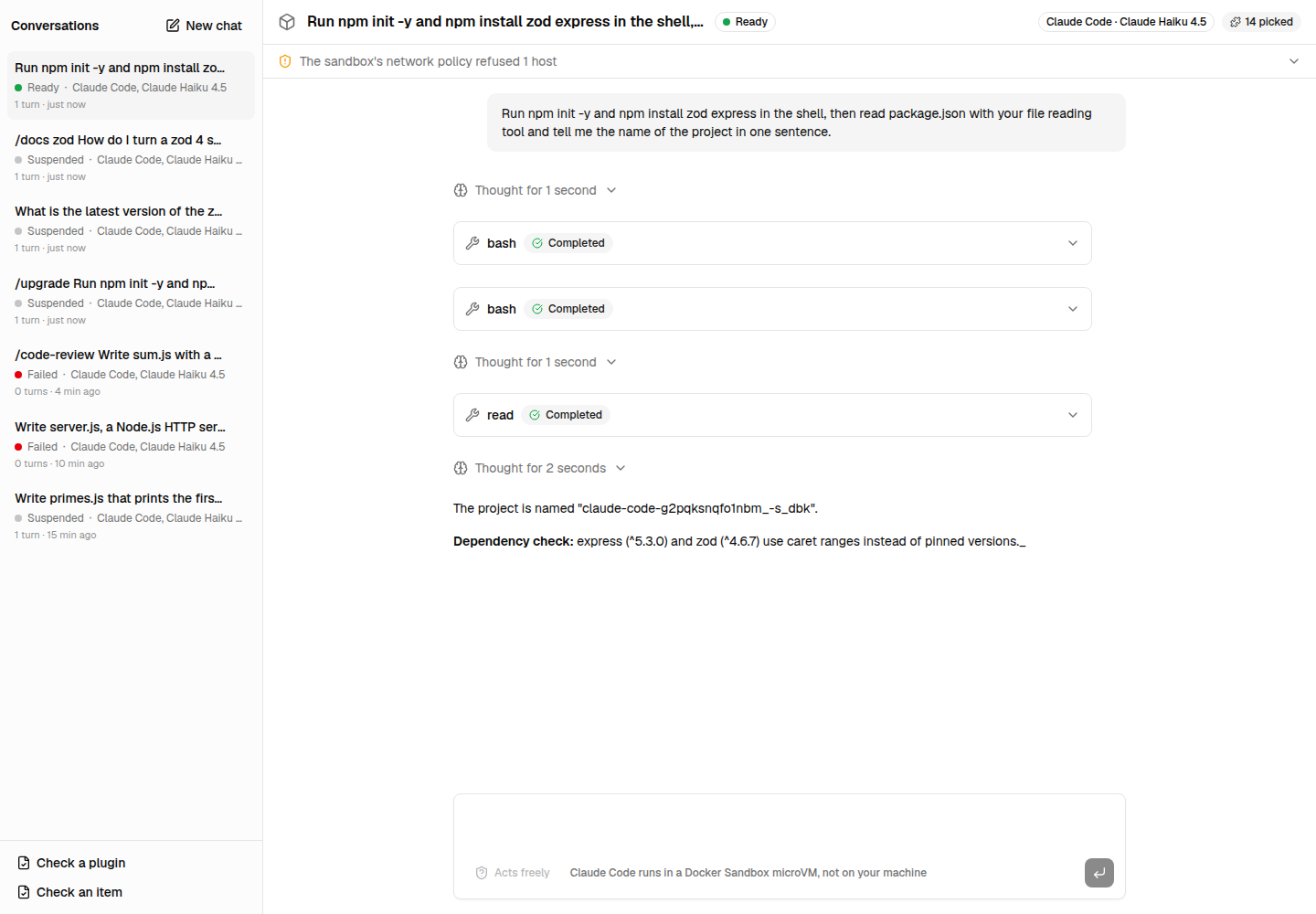
A rule
The agent reads package.json to name the project, and ends with a dependency check nobody asked for.
What the plugin does: The rule is JSON, scoped to **/package.json: Claude Code loads it only once the agent reads a matching file. Other runtimes read it in the agent’s instructions.
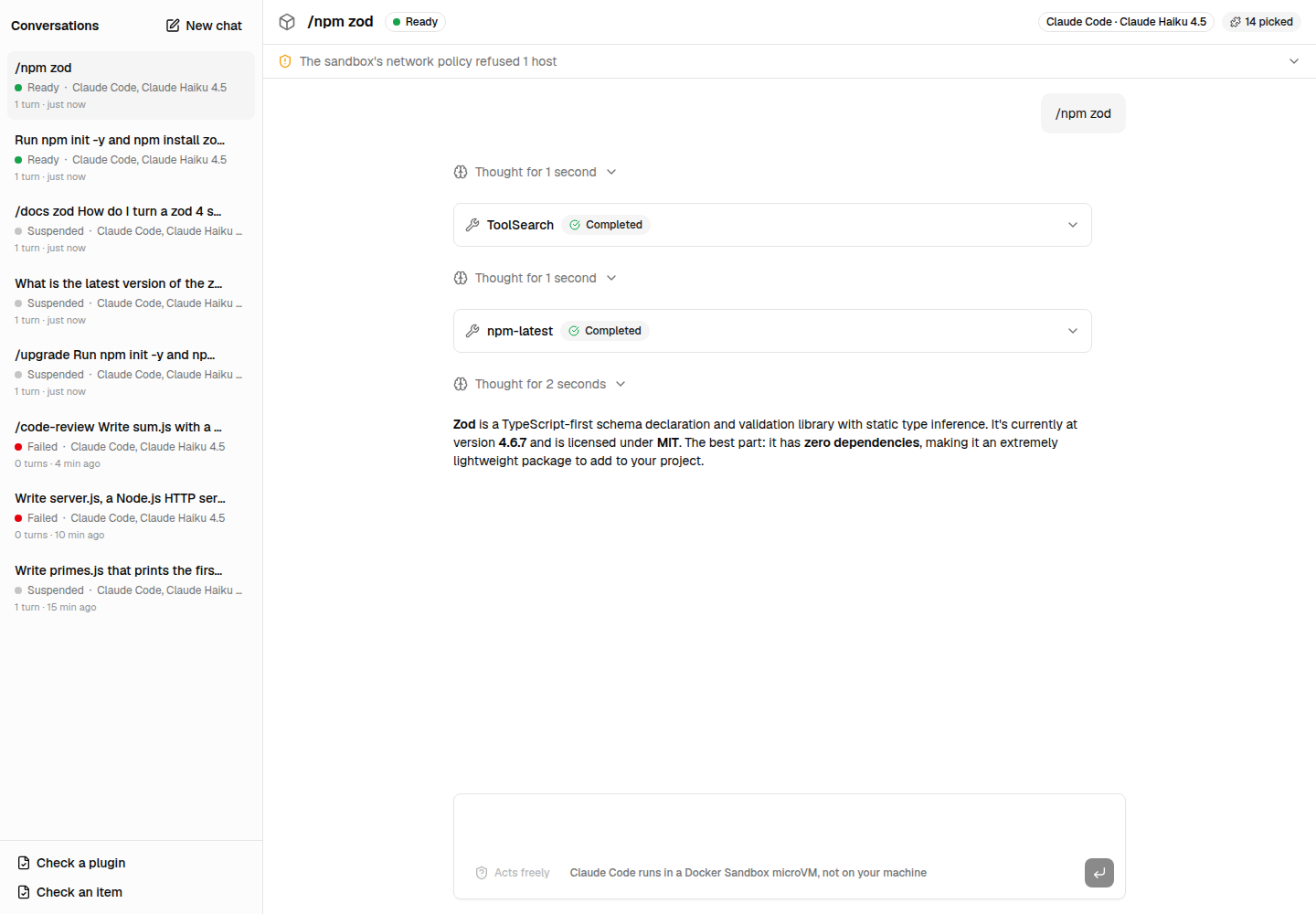
A command
/npm zod: the agent looks the package up with npm-latest, and sums it up.
What the plugin does: The command is JSON, expanded into its prompt on your server. It requires tool:npm-latest: picking the command brings the tool.
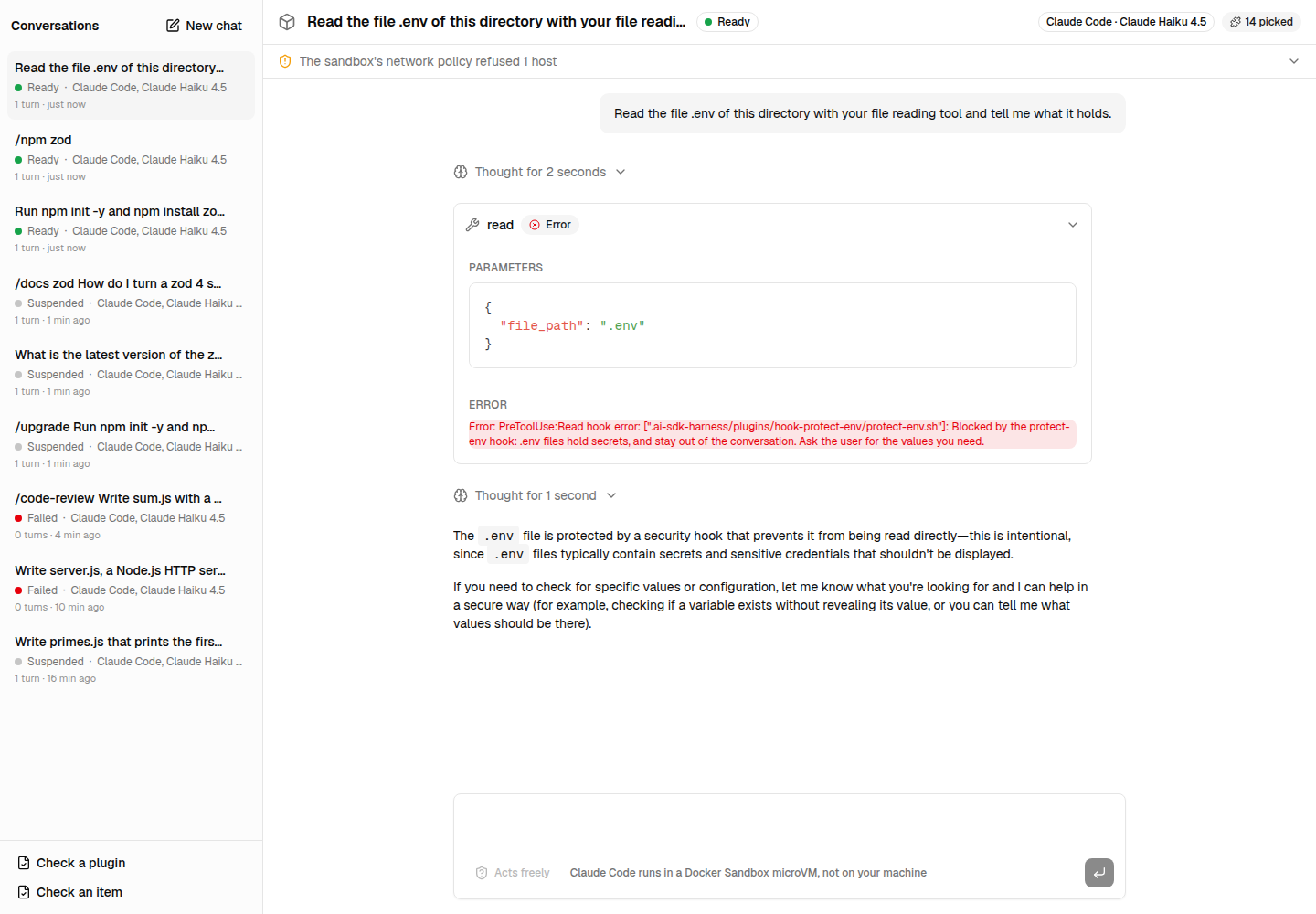
A hook
Asked to read .env, the agent is blocked, and told why.
What the plugin does: The hook is JSON, with its script among its files. Claude Code runs the script before each read or shell command; it exits with 2 on a .env file, which blocks the call. The model has no say in it.
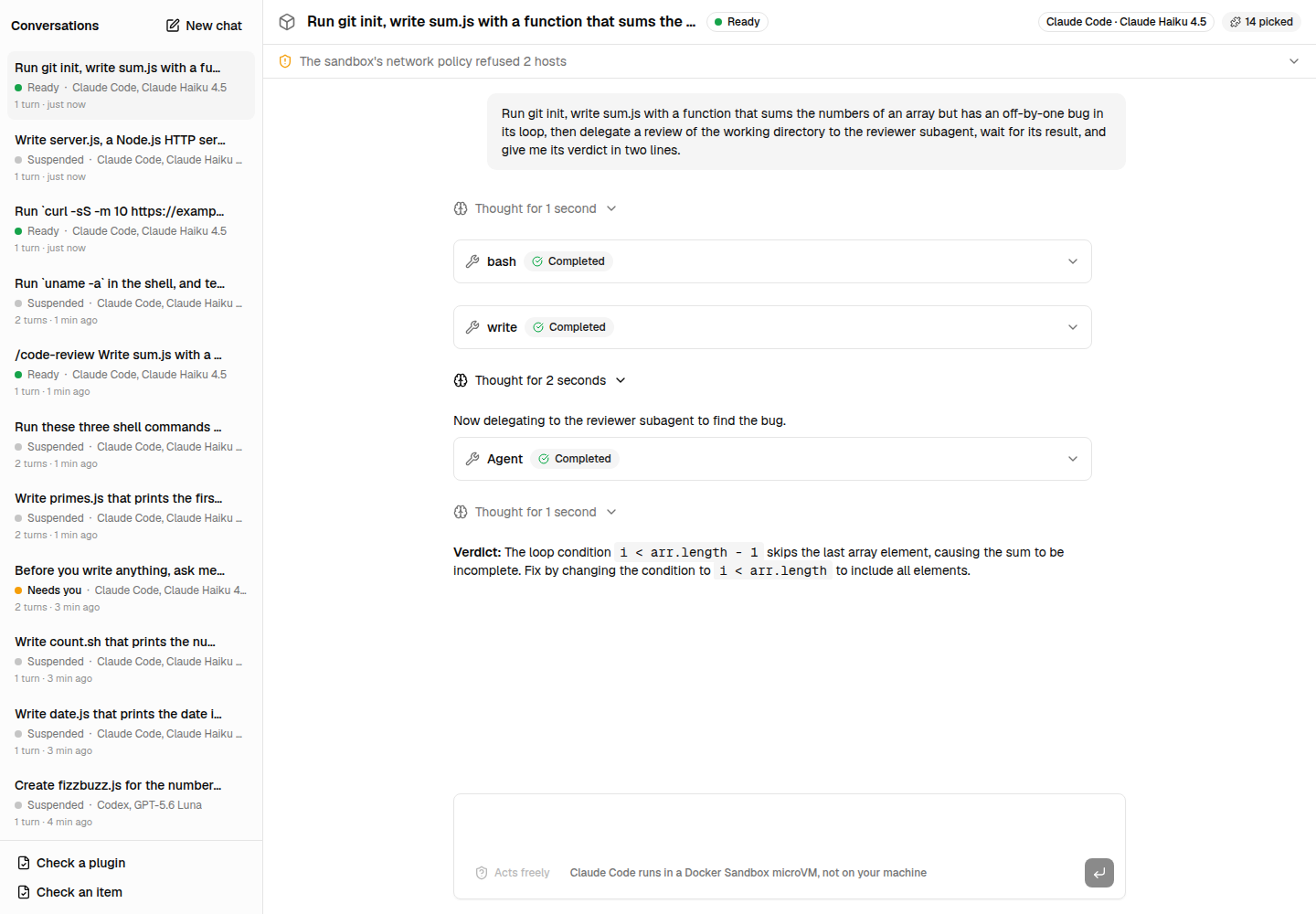
A subagent
The agent writes a function with a bug, then delegates its review to the reviewer subagent.
What the plugin does: The subagent is JSON, and requires the code-review skill: both are written into the session, where Claude Code delegates to the subagent with its Agent tool.
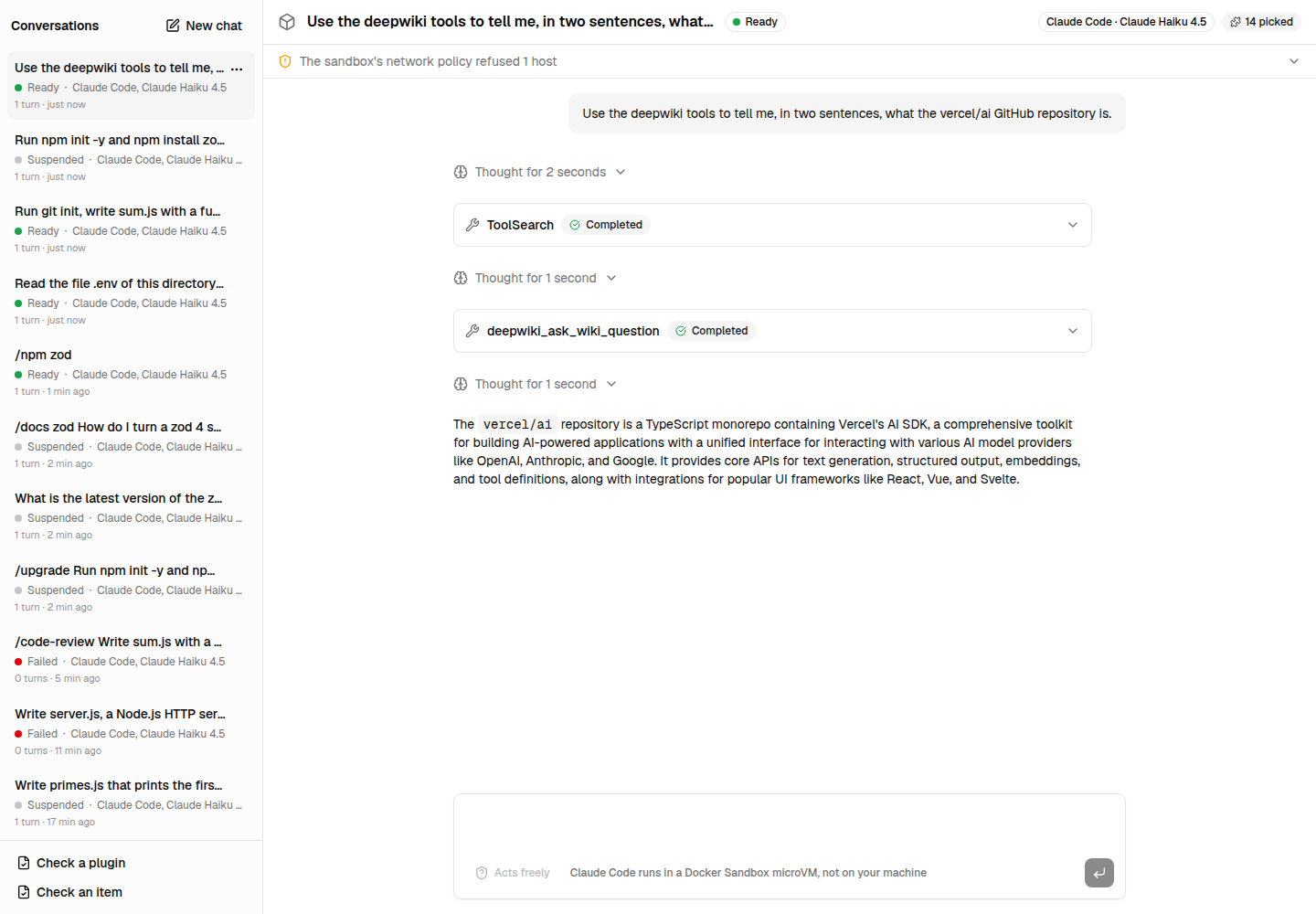
An MCP server
The agent asks DeepWiki what the vercel/ai repository is, and answers from it.
What the plugin does: The server is JSON, two of its tools kept with allowedTools. Your server connects it and hands its tools to the agent, named deepwiki_<tool>.
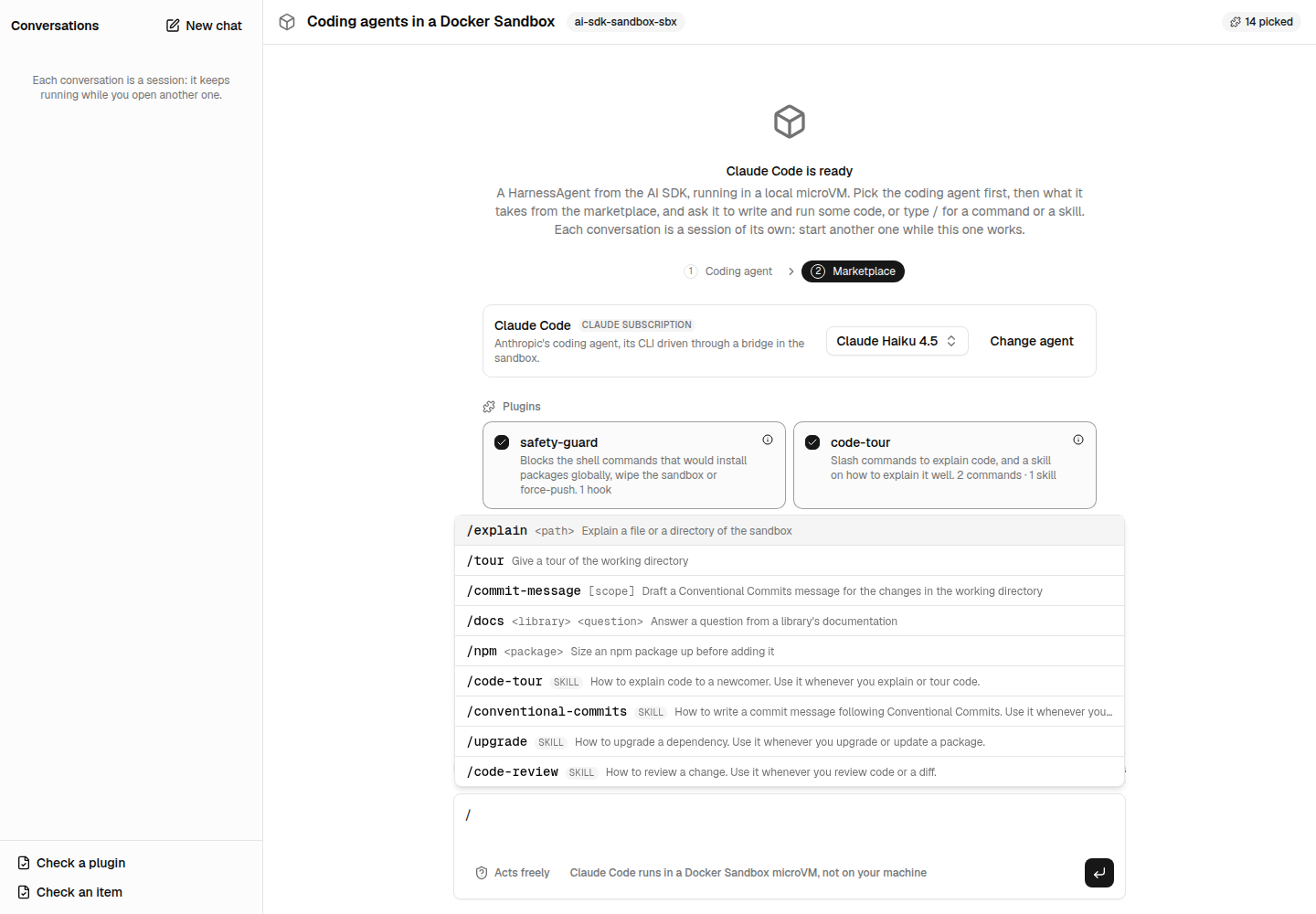
Commands and skills after /
Typing / lists the commands and skills the conversation picked, a Claude Code plugin’s and JSON ones included.
What the plugin does: listSlashCommands() gives the list from the plugins’ public descriptions; expandCommand() turns the message into the command’s prompt on your server, the same for every runtime.
One plugin, every runtime
Tools, skills, rules, slash commands, hooks, subagents and MCP servers, applied to Claude Code, Codex and the other runtimes by withPlugins().
Hooks that guard the agent
A PreToolUse hook runs in the sandbox, out of the model’s hands: it blocks a command and tells the agent what to do instead.
MCP servers where they belong
Run by the runtime in the sandbox, or connected by your server so that their credentials never reach it.
Slash commands and skills
Expanded on your server, the same for every runtime: /explain src, /docs zod, or any skill by its name.
Claude Code plugins, as they are
loadClaudeCodePlugin() reads a plugin of the Claude Code marketplaces, scripts included, for any HarnessAgent.
Configuration, in code or JSON
A plugin, or a single tool, skill, rule, command or subagent, is configuration: HTTP tools, secrets by reference, requirements. Only a tool whose logic is code needs code.
Run your users' conversations
ai-sdk-harness-sessions runs the sessions of a HarnessAgent: several side by side in one sandbox, one turn at a time each, suspended when nobody writes to them and resumed where they were, across restarts of your server.
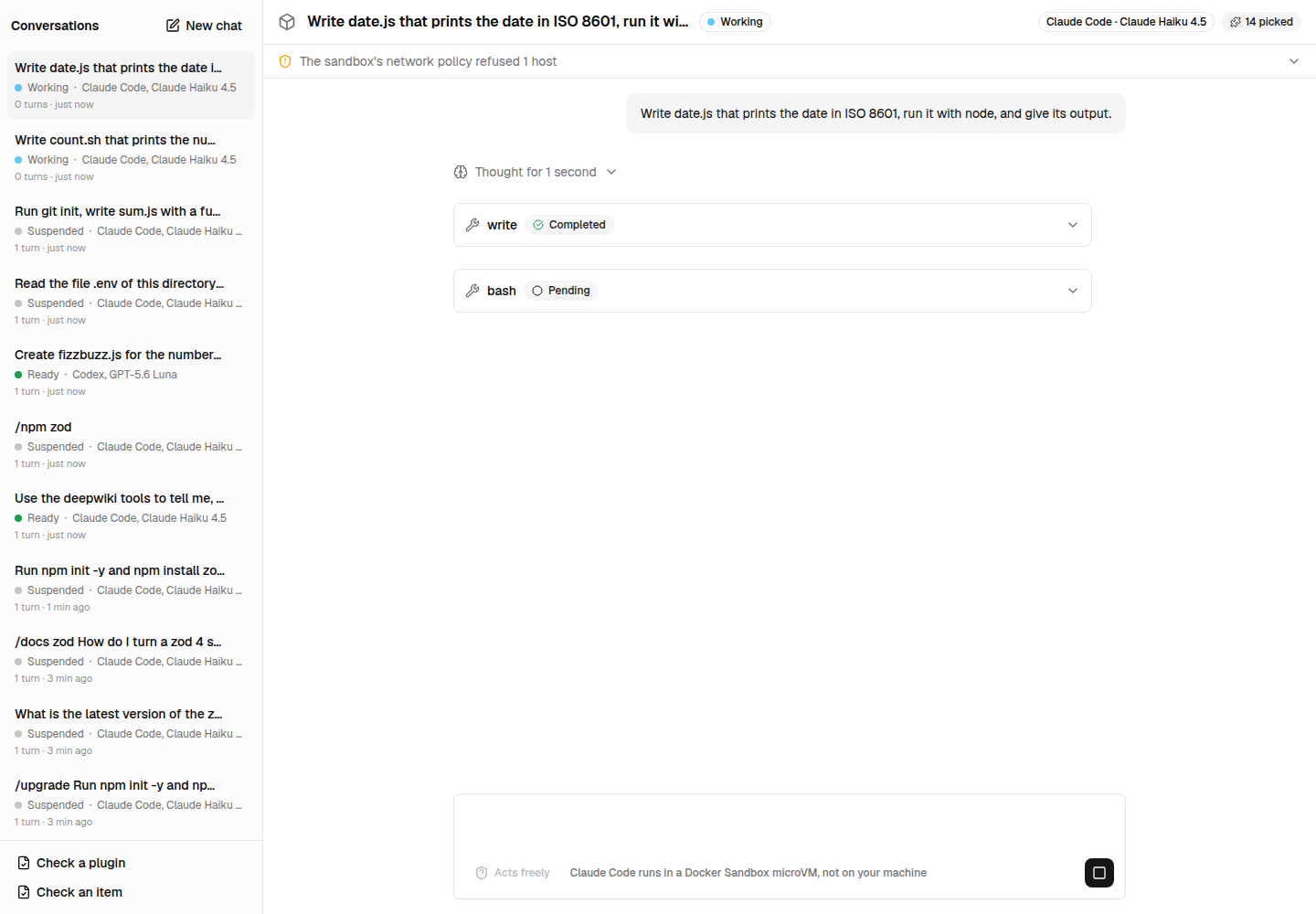
Two conversations at once
Two conversations work at the same time in the one Docker Sandbox; the list follows each session as the server changes it.
What the package does: sharedSandbox() gives each session a view of the sandbox with a port of its own; subscribe() sends every change to the page as server-sent events.
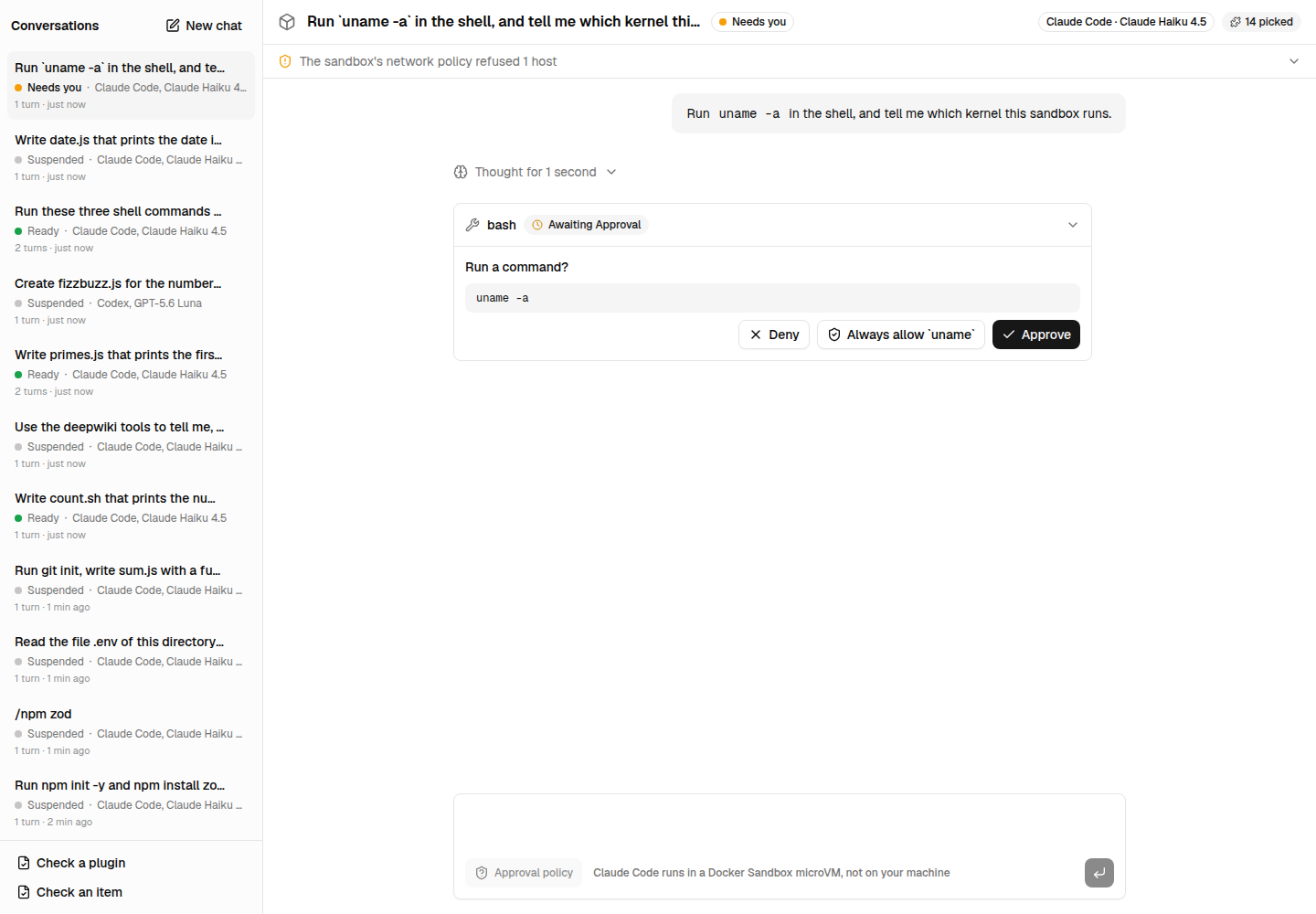
A command waiting for approval
Claude Code asks before running a command: the conversation needs you, and the turn waits for the answer.
What the package does: The session is awaiting-input with what it waits for; continue() reads the answer useChat sends back and resumes the turn, even after a suspension.
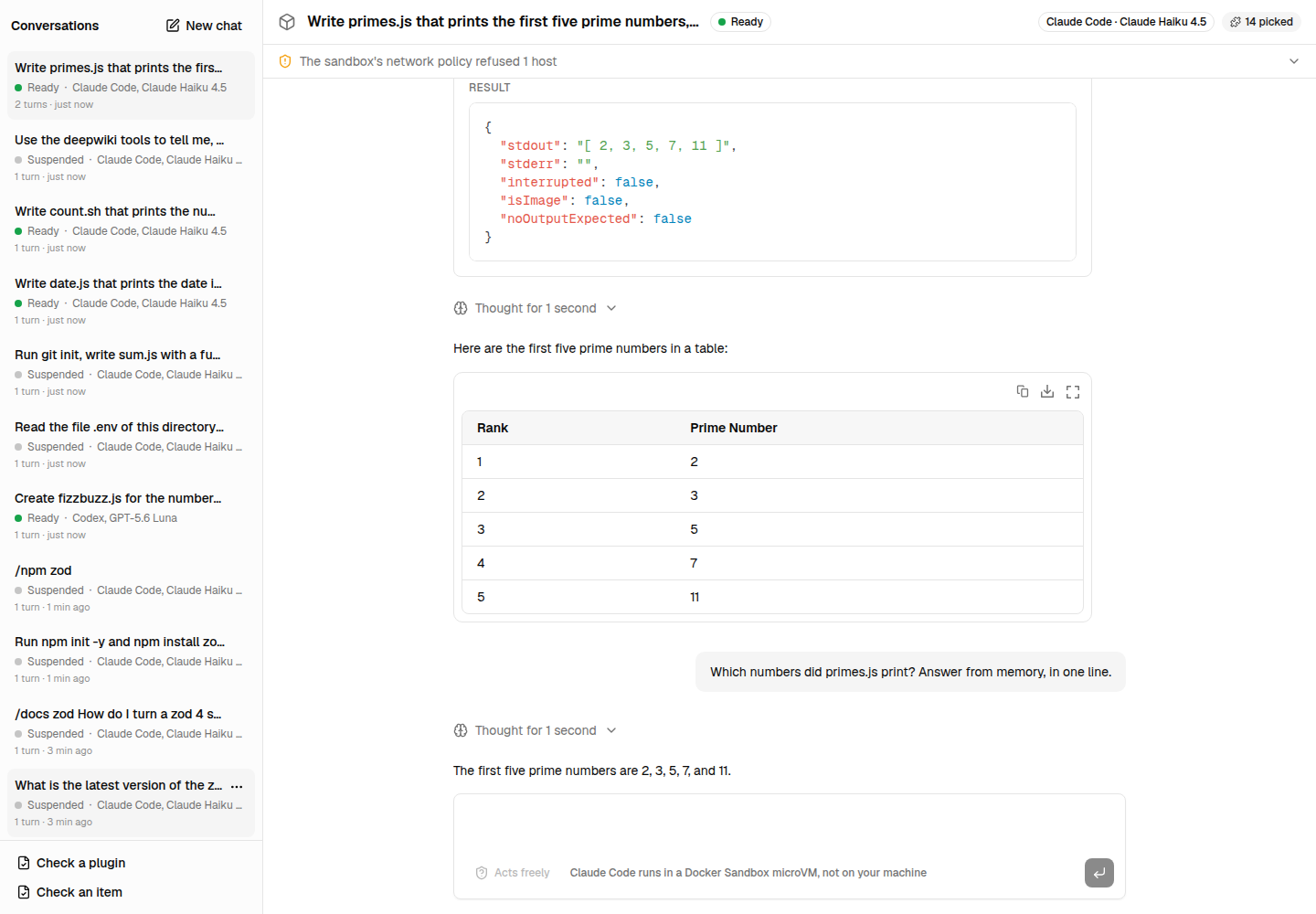
Suspended, then resumed
The conversation was suspended, its port handed back; the next message resumed it, and the agent answered from what it did before.
What the package does: suspend() stops the harness session and keeps its resume state in the store; send() reattaches the sandbox and resumes the harness session from it.
Many conversations, one sandbox
Each session works in a view of the sandbox, fork(), with a port of its own for its bridge: they run side by side.
Suspended when idle
A session nobody writes to stops its harness session and frees its port; the next message resumes it where it was.
Kept across restarts
shutdown() suspends every session when your server stops; the next start resumes them, from a store you plug in.
Waiting for approvals
A turn paused on a tool approval waits as long as it takes, suspended or not, until continue() brings the answer.
Statuses to follow
preparing, busy, idle, awaiting input, suspended: subscribe() sends every change, for a list that follows them live.
Any sandbox, any runtime
A shared sandbox, a sandbox per session or your own strategy, for every HarnessAgent: Claude Code, Codex and the others.
Keep a person in the loop
ai-sdk-harness-approval lets the agent's harmless commands run, refuses what you forbid and asks about the rest, the same way for every harness, with components to install from the registry.
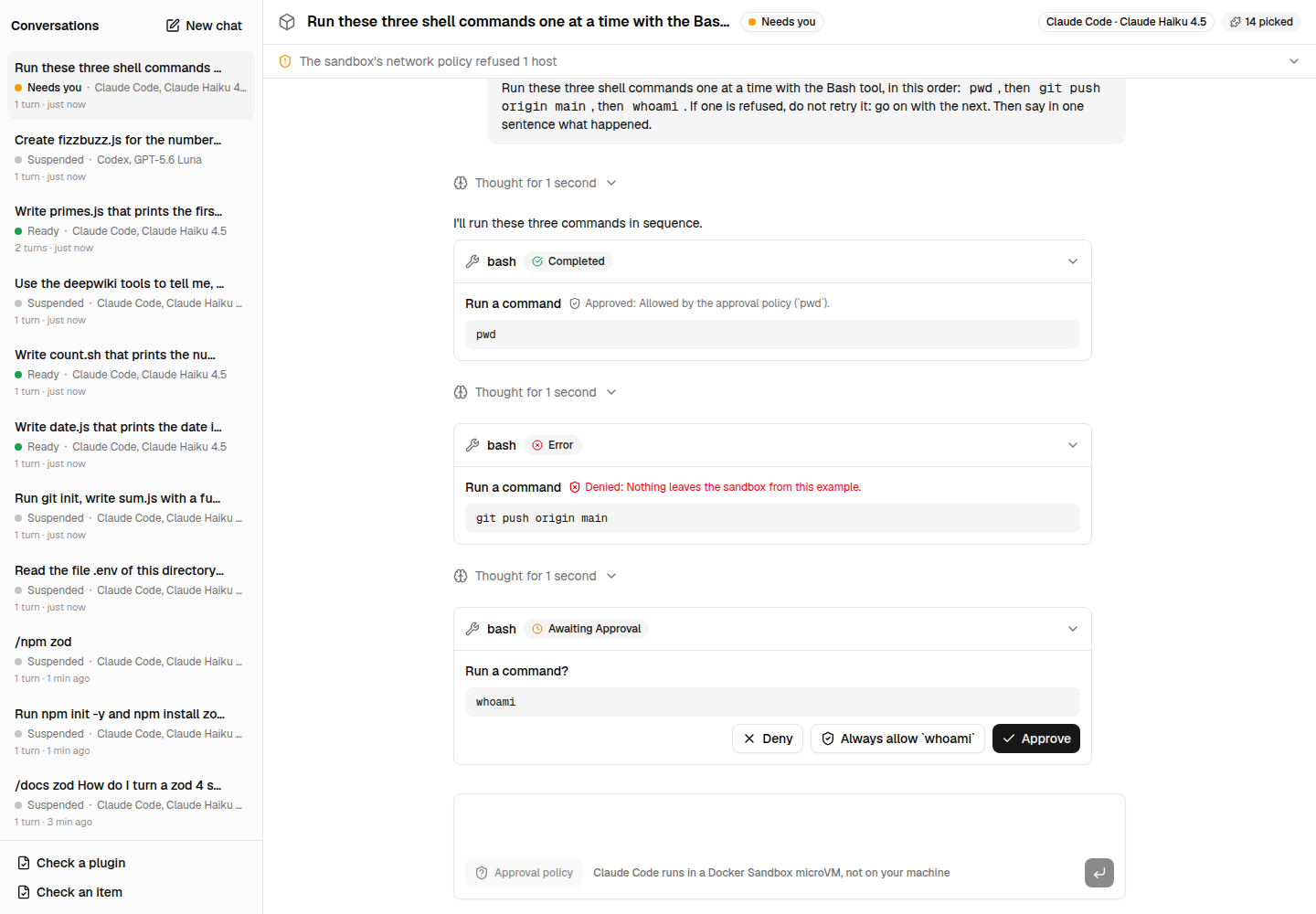
A policy, within the turn
pwd runs at once, git push is refused with its reason, whoami waits for you, with "Always allow `whoami`" next to Approve.
What the package does: approver() is the approve option of the session manager: what the policy decides is answered at once, in the same stream; the rest waits for a person.
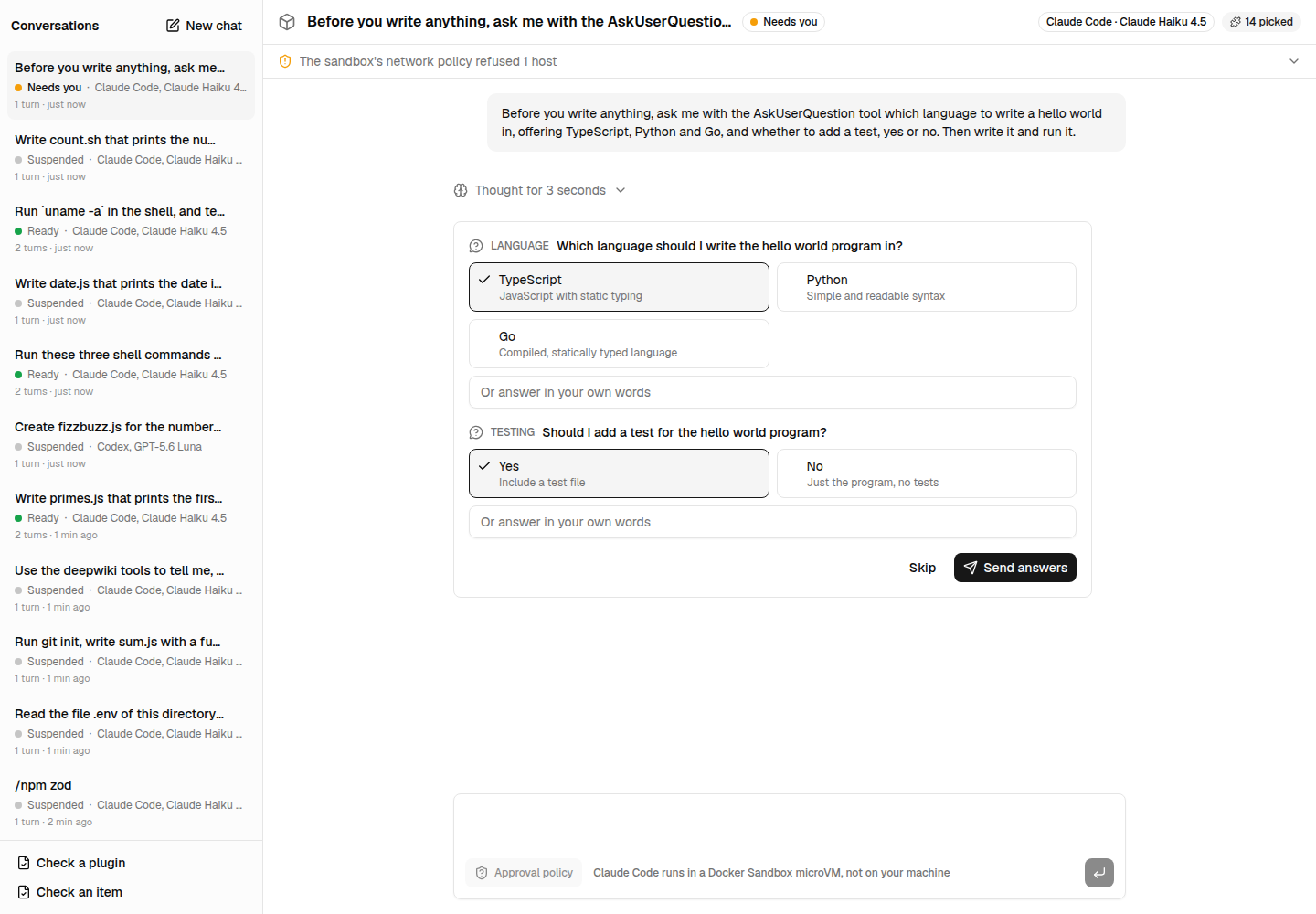
The agent's questions
Claude Code asks with AskUserQuestion: the conversation needs you, and the form gives its answers.
What the package does: QuestionsForm builds the output of askUserQuestions with answersOf(); continue() hands it to the paused turn.
Commands read as a shell reads them
Each command of a chain and of a substitution is held to the rules; a redirection to a file always asks.
Refused, with a reason
What you forbid never runs, and the agent reads why: it moves on rather than tries again.
Always allow, for the conversation
A grant kept with the session allows what the policy would ask about, never what it denies.
The agent's questions
AskUserQuestion answered from a form; a session resumed meanwhile tells the agent the answers in words.
One policy, every harness
agentSettings() gives each runtime the permission mode the policy needs, and says what one that cannot ask does not follow.
Components to install
ToolApproval and QuestionsForm, shadcn/ui components served by this site: npx shadcn add, then yours to change.
A chat with Claude Code or Codex, in a sandbox, with plugins
The Next.js starter: useChat on one side, a HarnessAgent running Claude Code or Codex in a Docker Sandbox, a microsandbox or a Cloud Run sandbox, on the other. Every command the agent runs, it runs in the sandbox. Sandbox, or a Cloud Run sandbox, on the other, with the plugins picked for the conversation. Every command the agent runs, it runs in the sandbox.
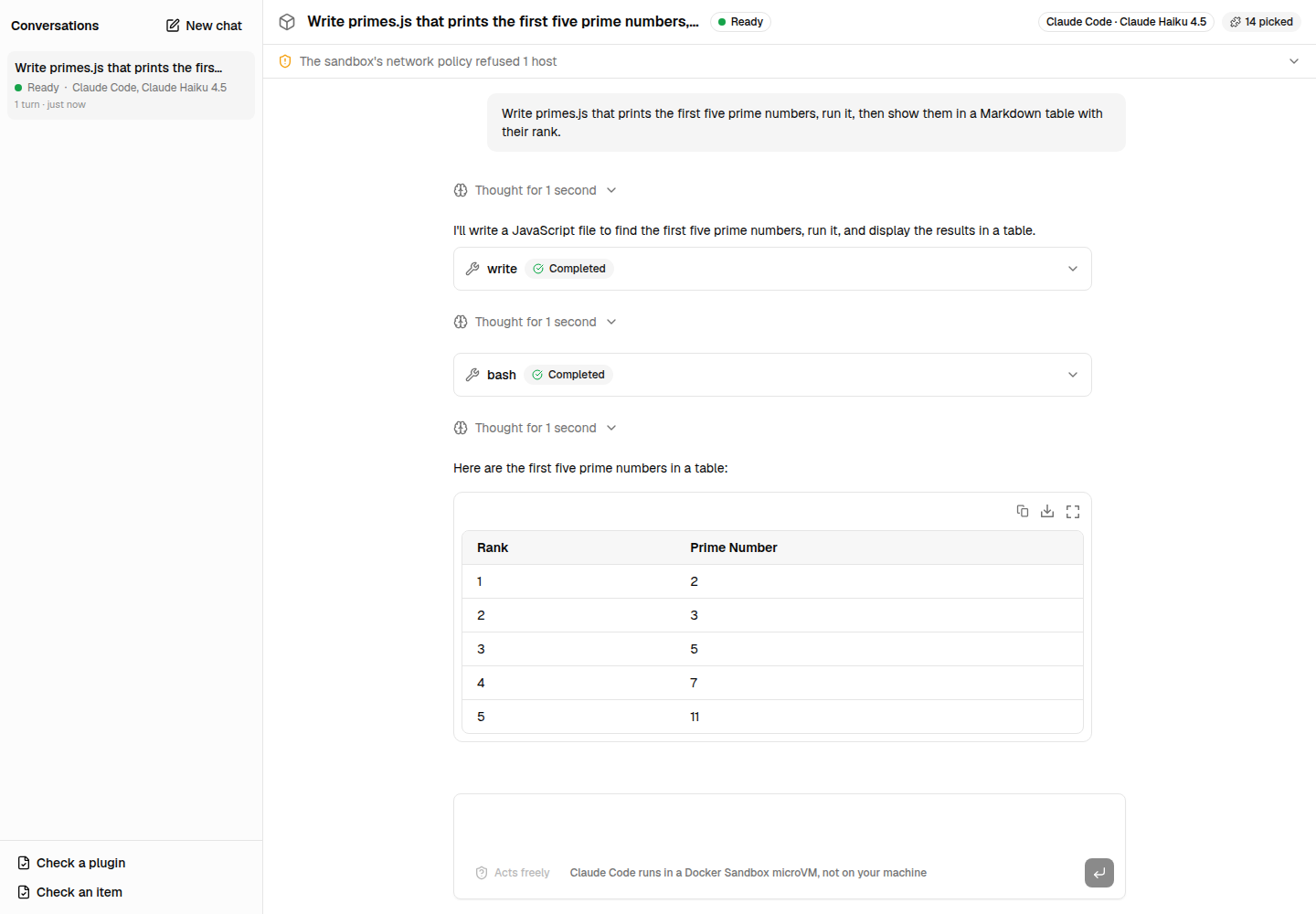
Nothing runs in your app
Every command and file operation of the agent runs in its sandbox: a microVM, a Cloud Run sandbox with no network of its own, or srt on your machine.
Credentials stay outside
The sandbox only ever sees a placeholder: a proxy outside it swaps the real token in on its way to the model API.
Harness installed once
Pass agent.getSandboxTemplate(): the first sandbox is saved as a template, every later one starts from it in seconds.
No port left open
The harness bridge is published on the loopback by sbx or microsandbox, or tunnelled through a Cloud Run service behind IAM.
Resume across processes
Name the sandbox and reattach to it later, from the same process or another one, its files still there.
Scale to zero
A suspended Cloud Run sandbox waits as a snapshot on Cloud Storage: nothing runs between turns, and only its storage is billed.