Adding plugins
Give an agent a hook, a slash command, a skill and an MCP server with ai-sdk-harness-plugins, then let it pick single items from a catalog.
This guide starts from the agent of Getting started, Claude Code in a Docker Sandbox, and gives it a plugin, then a catalog of items. Every part of a plugin is in the package's documentation.
Install the package
pnpm add ai-sdk-harness-plugins zodWrite a plugin
A guard that keeps .env files out of the conversation, with the script it runs, a slash command, and the skill the command relies on:
import { definePlugin } from 'ai-sdk-harness-plugins';

export const team = definePlugin({
  name: 'team',
  description: 'How our team works.',
  // ${PLUGIN_ROOT} is replaced by the sandbox directory the plugin's files are written to.
  hooks: [{ event: 'PreToolUse', matcher: 'Read|Bash', command: '"${PLUGIN_ROOT}/guard.sh"' }],
  files: [
    {
      path: 'guard.sh',
      executable: true,
      content: `#!/bin/sh
# The tool call, as JSON on the standard input.
if grep -Eq '\\.env($|[^A-Za-z])'; then
  echo '.env files hold secrets, and stay out of the conversation.' >&2
  exit 2
fi`,
    },
  ],
  commands: [
    {
      name: 'explain',
      description: 'Explain a file or a directory',
      prompt: 'Explain $1 to a newcomer, following the code-tour skill.',
    },
  ],
  skills: [
    {
      name: 'code-tour',
      description: 'How to explain code. Use it whenever you explain code.',
      content: 'Say what the code is for, name the pieces that matter, show one excerpt.',
    },
  ],
});
Give it to the agent
import { expandCommand, withPlugins } from 'ai-sdk-harness-plugins';

import { team } from './plugins';

const agent = new HarnessAgent(withPlugins({ harness: createClaudeCode() }, [team]));
const session = await agent.createSession({ sandboxSession });

// `/explain src` is expanded here, on your server.
const message = '/explain src';
const prompt = expandCommand(message, [team])?.prompt ?? message;
const { text } = await agent.generate({ session, prompt });
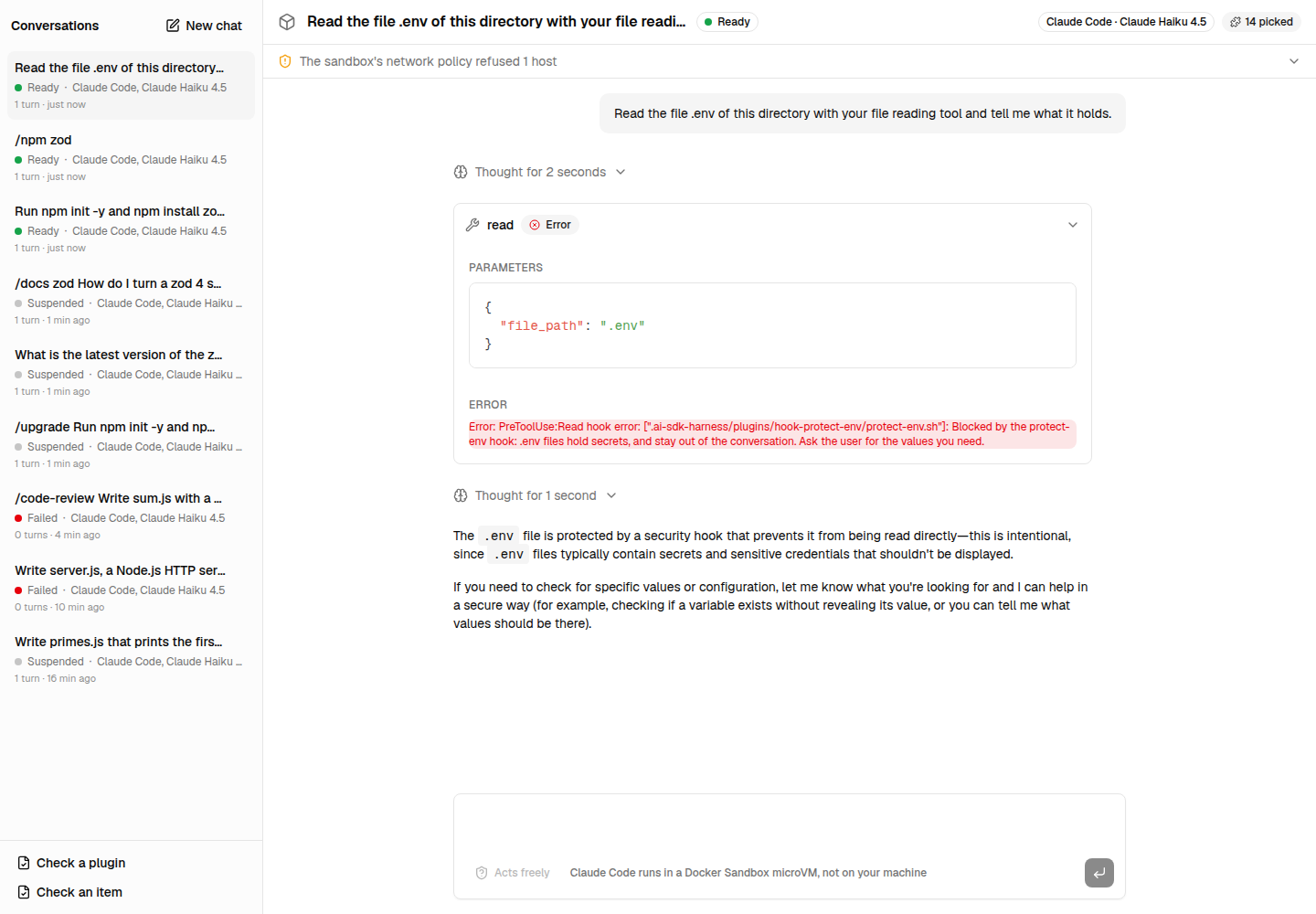
Ask the agent to read .env: Claude Code runs the hook's script before the read, the script exits with 2, and the agent is told why instead of reading the file:
With @ai-sdk/harness-claude-code 1.0.180 and later, Claude Code reads nothing of the session's
.claude/: the hooks and subagents of plugins go under the sandbox's $HOME, which its sessions
share, each hook run only in the sessions that have it. A prompt hook is left out, unless each
session has a sandbox of its own (ownSandbox: true). See Hooks on Claude
Code.
Connect an MCP server
An MCP server is connected by your server: its tools reach the agent, its token does not. The plugin only holds a reference to the token, which resolveSecret resolves on your server:
const docs = definePlugin({
  name: 'docs',
  description: 'Library documentation.',
  mcpServers: {
    context7: {
      type: 'http',
      url: 'https://mcp.context7.com/mcp',
      headers: { Authorization: { secret: 'CONTEXT7_TOKEN' } },
    },
  },
});

const { plugins, close } = await resolvePlugins([team, docs], {
  resolveSecret: (name) => secretManager.get(name),
});
const agent = new HarnessAgent(withPlugins({ harness: createClaudeCode() }, plugins));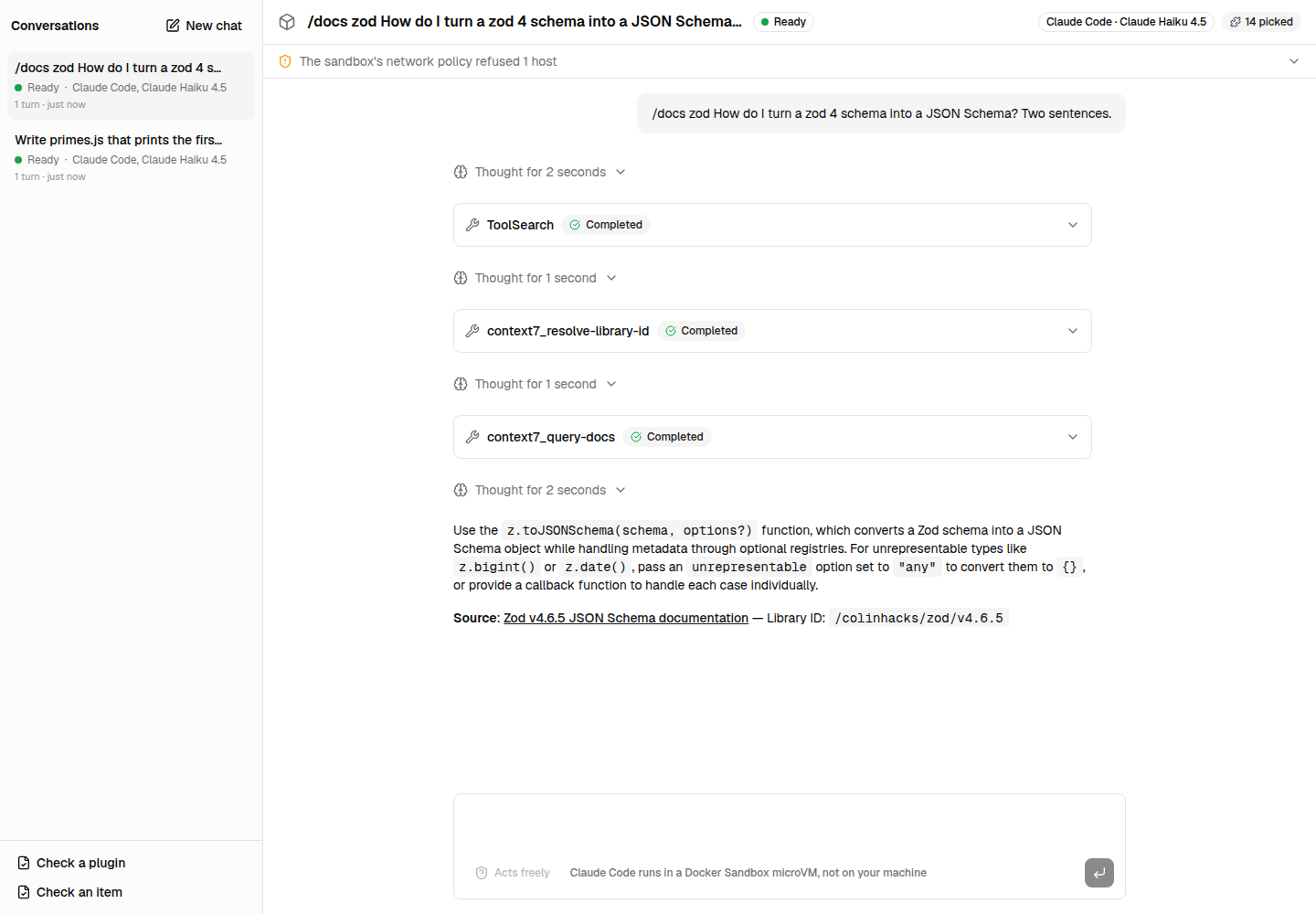
Let each agent pick items
Rather than whole plugins, offer single items — tools, skills, commands, hooks, subagents, MCP servers —, written in code or as JSON, and let each agent pick its own; an item brings what it requires:
const catalog = createCatalog({
  plugins: [team, docs],
  items: [
    {
      kind: 'tool',
      name: 'npm-latest',
      type: 'http',
      description: 'The latest version of an npm package.',
      // What the model reads to call it: {name} of the url is one of its required properties.
      inputSchema: {
        type: 'object',
        properties: { name: { type: 'string', description: 'The package name' } },
        required: ['name'],
      },
      url: 'https://registry.npmjs.org/{name}/latest',
    },
    {
      kind: 'command',
      name: 'npm',
      description: 'Size a package up',
      prompt: 'Look $1 up with the npm-latest tool…',
      requires: ['tool:npm-latest'],
    },
  ],
});

const { plugins } = await catalog.resolve(['plugin:team', 'command:npm'], { resolveSecret });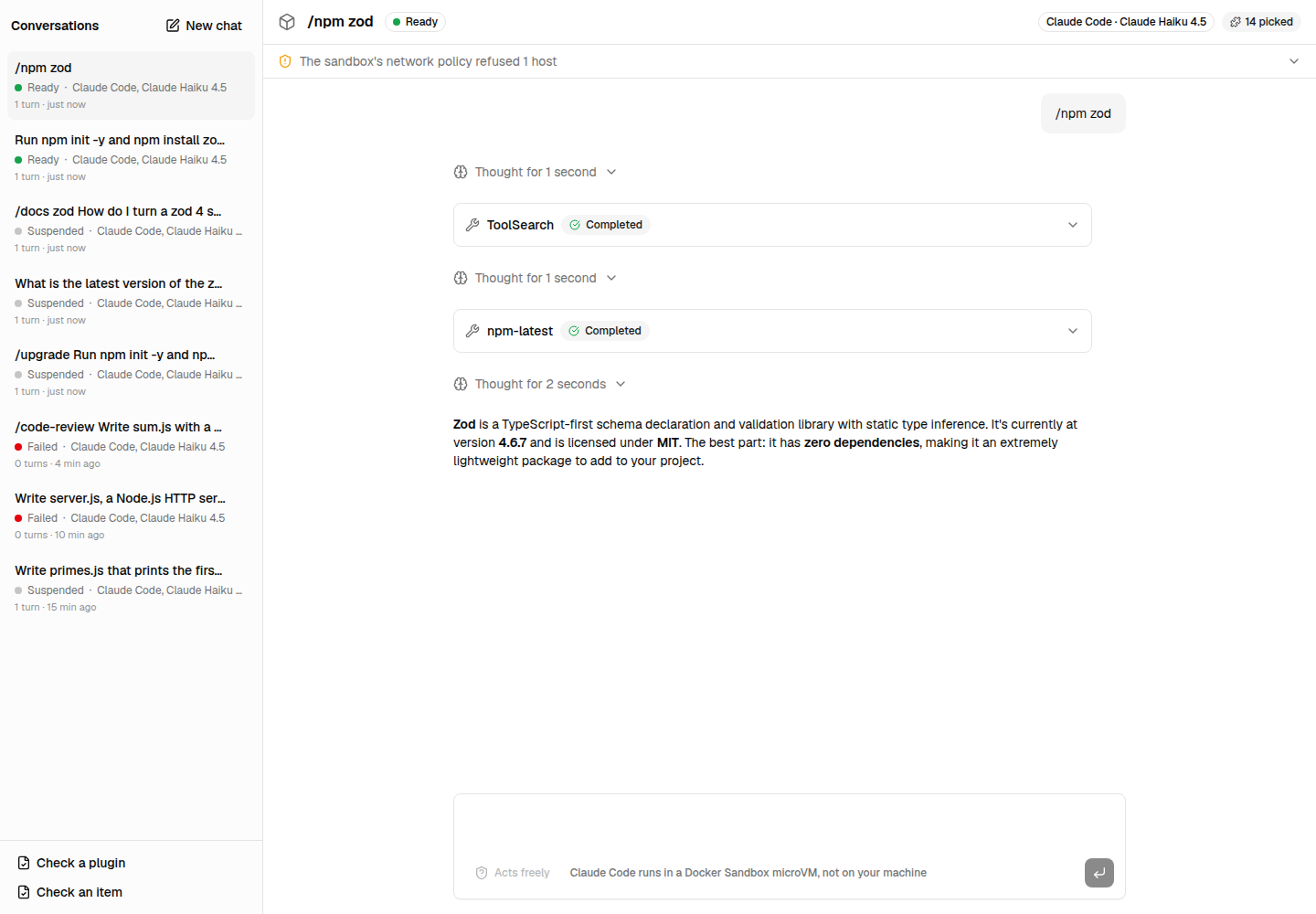
A plugin requires too, by the same ids: what it uses outside itself, such as a tool published on its own. Selecting the plugin brings the tool as it is, never a copy, so an edit of the tool reaches every plugin that uses it. Add this one to the catalog's plugins, beside team and docs:
const upgrades = definePlugin({
  name: 'upgrades',
  description: 'Dependency upgrades.',
  skills: [
    {
      name: 'upgrade',
      description: 'How to upgrade a dependency. Use it whenever you upgrade or update a package.',
      content:
        'Look the package up with the npm-latest tool, install that exact version, run the tests.',
    },
  ],
  requires: ['tool:npm-latest'],
});

// plugin:upgrades, its skill, and tool:npm-latest, resolved as the item it is.
const { plugins } = await catalog.resolve(['plugin:upgrades'], { resolveSecret });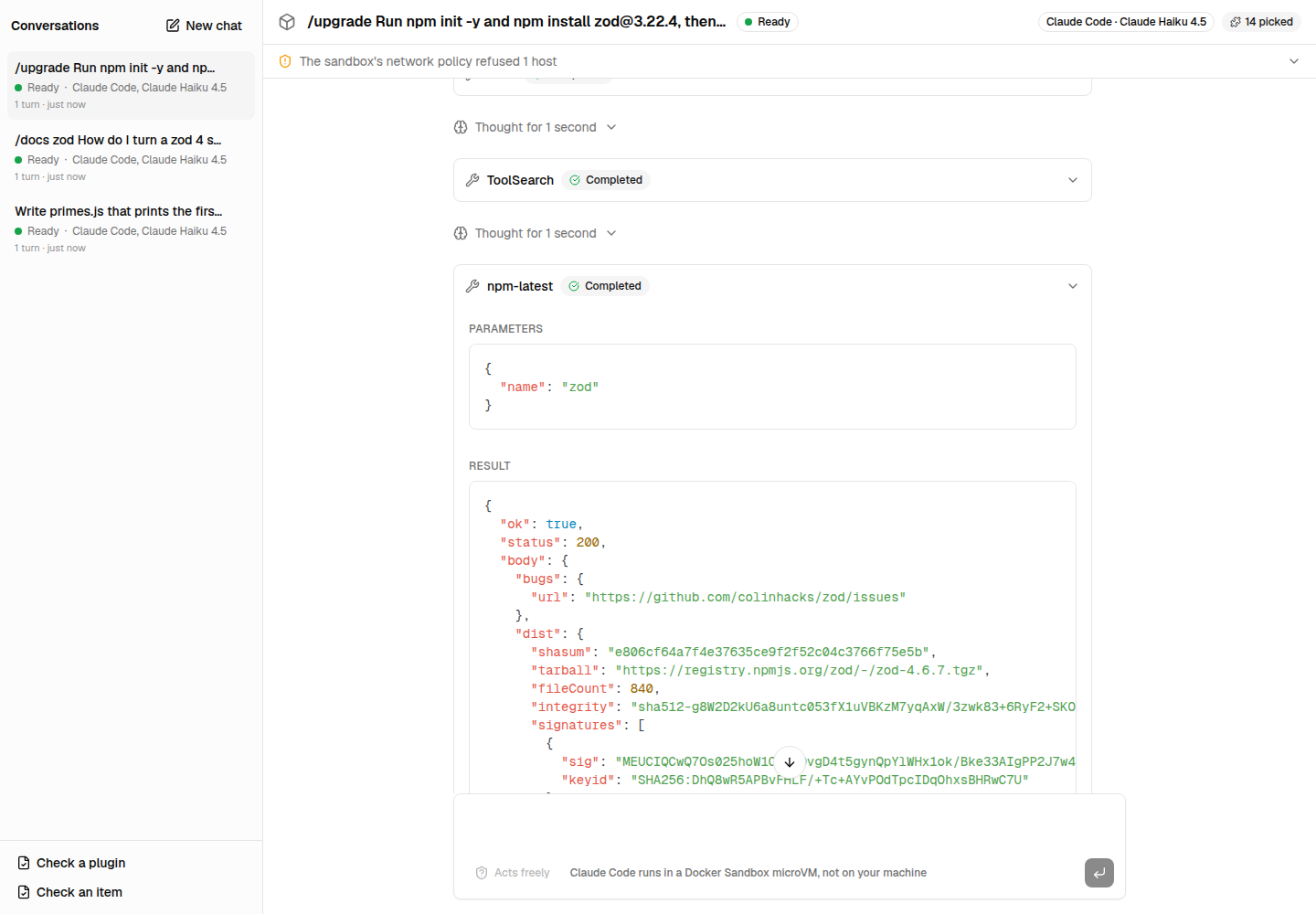
Selecting only upgrades/skill:upgrade brings what that skill requires, not what the plugin does. A plugin never requires itself nor one of its own items: they come with it. In its requires, tool:npm-latest always names an item on its own, where an item of a plugin looks within its plugin first.
Next steps
- Every part of a plugin and every option: the package's documentation.
- The Next.js starter, with a marketplace of plugins and items, and a prompt that completes their commands and skills.
Choosing a sandbox
Which sandbox package fits where your agent runs, which others exist, what any sandbox image needs, and how to work on a Python, Go or Rust project.
Managing sessions
Run your users' conversations with ai-sdk-harness-sessions — several in one sandbox, suspended when idle, resumed after a restart, waiting for approvals.